Editing your NBI account information online is important if you entered wrong details during registration or if your personal information has changed. Many people face problems because of spelling mistakes, wrong birthdates or incorrect contact details in their NBI account.
This guide explains how to edit NBI account information online, what NBI information means, why updating your details is important, what documents are needed and how long the update process takes.
What Is NBI Information?
NBI information refers to the personal and identification details you provide when creating an account on the NBI Clearance Online System. This information is used by the National Bureau of Investigation (NBI) to verify your identity and issue your clearance.
NBI information usually includes:
-
Full name.
-
Date of birth.
-
Place of birth.
-
Gender and civil status.
-
Address.
-
Contact number.
-
Email address.
-
Government-issued ID details.
All this data appears on your NBI Clearance certificate so accuracy is very important.
Why You Need to Edit NBI Account Information?
Many people realize mistakes only after booking an appointment or paying the NBI fee. Editing your NBI account information helps avoid delays, rejection or clearance errors.
You may need to edit your NBI details if:
-
Your name spelling is incorrect.
-
Your birthdate does not match your valid ID.
-
You entered the wrong email or phone number.
-
Your civil status has changed.
-
Your address is outdated.
-
There is a mismatch between your ID and NBI record.
Incorrect information can lead to HIT status, rescheduling issues or invalid clearance for employment or travel.
Requirements Before Editing NBI Details Online
Before editing your NBI account information online make sure you have the correct documents ready. This helps ensure that your updated details are accurate and acceptable.
Required Documents
You should prepare at least one valid government-issued ID, such as:
-
Philippine Passport.
-
UMID ID.
-
Driver’s License.
-
PhilHealth ID.
-
Voter’s ID.
-
Postal ID.
Make sure the information on your ID exactly matches the details you want to update in your NBI account.
Step-by-Step Guide: How to Edit NBI Information Online
Follow these updated steps to make sure your NBI correction request is accepted:
Step 1: Visit the Official NBI Website
Go to https://clearance.nbi.gov.ph.
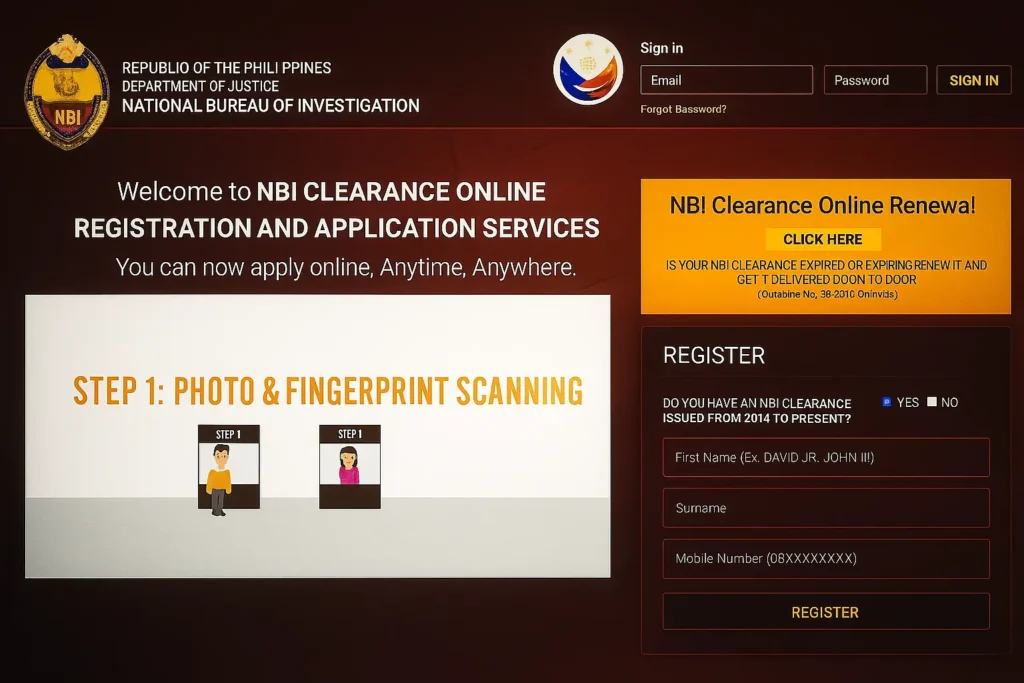
Step 2: Log In to Your NBI Account
Sign in using the same email and password you used before.
If you can’t remember your password click “Forgot Password” to reset it.
Step 3: Check Your Profile
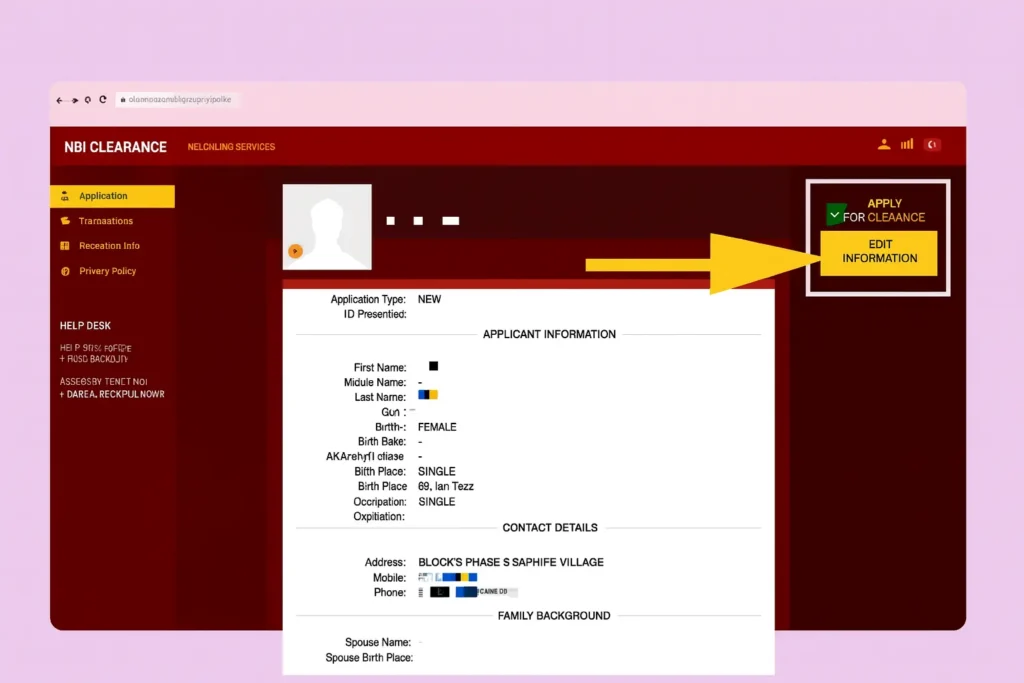
After logging in click “Edit Information” or “My Profile.”
You will see your personal details like your name, address, and contact number.
Step 4: Edit the Wrong Details
Change the incorrect information in the boxes. If you need to change big details (like your name or gender)
Step 5: Upload Your Supporting Documents
Upload clear copies of the needed documents (like your marriage certificate or birth certificate) in JPG or PDF format.
Step 6: Submit and Confirm Your Changes
Double-check your details, then click “Submit.”
You will get a confirmation email or reference number to show that your request is being reviewed.
Step 7: Wait for NBI Verification
The NBI will check your information and documents. This may take 5 to 10 working days depending on the type of correction you asked for.
You can also File a Complaint in NBI if you have been a victim of a scam, fraud or online crime.
Information That Cannot Be Edited Online
Not all NBI details can be edited online. For security reasons major changes may require personal appearance.
You usually cannot edit online:
-
Complete name change.
-
Major birthdate correction.
-
Nationality changes.
For these cases, you must visit the nearest NBI office and request assistance.
How Long Does It Take to Update NBI Information?
In most cases, updates made online are reflected immediately after saving the changes. However, verification depends on the type of information updated.
| Type of Update | Processing Time |
|---|---|
| Contact details | Instant |
| Address change | Instant |
| Minor spelling correction | Same day |
| Major personal data changes | Requires office visit |
Common Mistakes to Avoid When Editing NBI Details
Many people experience delays because of small mistakes. To avoid problems make sure you don’t do the following:
-
Don’t upload blurry or incomplete documents.
-
Don’t enter details that don’t match your ID.
-
Don’t use a different email address.
-
Don’t forget to check for spelling mistakes before clicking submit.
Taking time to review everything carefully helps you save time and avoid having to apply again.
How Long Does It Take to Update NBI Information?
The time it takes to update your NBI information depends on what kind of change you’re making:
-
Small fixes (like spelling mistakes or typos): usually take 1–3 working days.
-
Big changes (like name or birthdate updates): may take up to 10 working days.
How to Contact NBI for Assistance
If you have any problems while editing your NBI record online you can reach out to the NBI Help Desk for help:
-
Email: nbiclearance@nbi.gov.ph
-
Phone: (02) 8523-8231
Final Thoughts
Editing your NBI information online is easy and important to keep your records correct. By following the right steps, sending valid documents and avoiding mistakes you can make sure your NBI clearance stays accurate and valid.
Always use the official NBI website and enter truthful information. Being careful and honest helps you get faster approval and a smoother process every time.
Frequently Asked Questions
Q1: Can I edit my NBI information without visiting the branch?
Yes You can make small corrections online like fixing typos. But for big changes (such as name or birthdate) you will need to visit an NBI branch for personal verification.
Q2: Is there a fee for editing NBI information?
Usually there is no fee for small edits. But if you request a new clearance with your updated details you may need to pay a small processing fee.
Q3: Can I update my email address in my NBI account?
No For security reasons the email you first used can’t be changed. Always use the same email to log in to your NBI account.
